Smoothwall Firewall project

Showing posts with label Intel. Show all posts

Wednesday, 10 November 2010

Is upgrading to the Intel i5 laptop processor worth the effort


In a word, yes . As you may have read on this blog a few weeks ago , I tried an experiment with using an SSD harddisk for the operating system in conjunction with an external 500GB hybrid disk for all the more volatile parts of the OS, like /var and /tmp.

This was a resounding successful with a marked ramp in performance across the whole operating system and applications, to the point now , that all other machines seem like sloth's in comparison.

I had a need to upgrade my work laptop recently, specifically for more CPU cores and access to that lastest hardware virtualization extensions. I use the laptop extensively for virtualization, so I picked the Dell Latitude E6410. This is a really good work horse, but more importantly it comes with the Intel i5 processor.

This has had a very positive affect on the whole systems performance when running virtual guests with VirtualBox - my current virtualization platform of choice - to the extent that I can now over commit on memory and cpu's , plus the density I can achieve on this box has literally doubled.

I always keep a system monitor going to see how hard the system us working, and while on the old E6400, with two virtual machines running , the system would be noticeable slower, now with four virtual guests running, there is still plenty of head room for the other applications I need to run.

If are about to upgrade, and you need the ability to run multiple virtual guests, then I would definitely recommend the extra spend on this processor. The more memory the better, but I'm happily working with 4GB currently, but I can take this up to 8GB if the need should arise.

Well done Dell this is a grand machine for running Linux.

Friday, 26 June 2009

A funny thing happened on my way to web

I have been testing Firefox 3.5 and Chromium now for a while, and it dawned on me today that I'm using Chromium more and more, even though it is missing some plugins and options. I started to wonder why this might be, given that even in the developers eyes it is a very early release. The plain truth is the speed. I know some sites just don't render properly, like Vaughan-Nichols Linux blog, but I'm prepared to put up with that, because it just flies along. I use it for Gmail, Google reader , Google analytics , my blog, many forums, the BBC and it just works so much faster that I'm prepared to put up with it's foibles.If I do hit an issue I know I can always fall back to Firefox, which is normally the case when I want to watch something with Adobe Flash. This however will disappear the moment Chromium supports Adobe Flash, and we are not now talking many months away from that happening.

The Mozilla community have plenty of time to face the performance issues of Firefox on Linux before either Chromium or Google Chrome are out of the door, but they really are going to have face that daemon ;-)

The issue you see, is that on small power computers like Netbooks, every CPU cycle counts, even more so when the ARM based babies hit the streets, and Chromium with v8 is cutting the mustard now, and I can see many distros. , including the one I help with , Eeebuntu switching to Chromium simply for speed reasons.

I have every confidence that the Mozilla community will step up to the plate and address the issue, as version 3.5 is a big improvement over 3.0, and I it will be interested to see how 3.6 and eventually 4.0 shape up, but they have some real competition now and the Microsoft type complacency just won't be good enough.

If Google delivers on the rumours of a version of Android for the Intel Atom and the ARM processors, then they are going to be pushing Chromium very hard on all platforms, but especially there own, which is Linux at it's heart. The pressure on features like audio, video, Adobe flash, and ogg will be relentless and they have within this development community the talent to deliver these improvements. The pressure to improve these is only going to increase.

These are very interesting browsing times, and the only people to really benefit are the surfers.

Wednesday, 14 January 2009

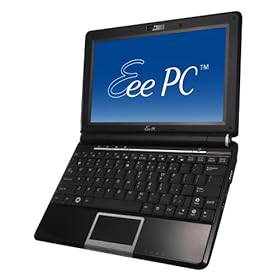
Six months with my Eeepc 1000 and still very happy

Yes, it's been that long since I upgraded my netbook, and I can honestly say there has not been one second of regret. Looking at the prices you can get them for today, it might have been worth waiting until after Christmas, but that is always true of all technology , and you would probably end up getting nothing.

In my previous post on this great little machine , I mentioned that I had upgraded from my original 701 model to get a couple of issues sorted, screen size and keyboard size being the main ones. These have proved to be successfully cured and are now a none issue on this netbook. One major added bonus is the increase in battery life , which really does deliver 5.5hrs after every charge.

The operating system that came pre-installed worked effectively enough , Xandros, and had all the applications one could possibly want in a netbook style computer. It would make sense for most people who just want a netbook to get some work done effectively and without much fuss to leave it at that.I however have now switched all my machines over the last twelve months to using Debian derived Ubuntu Linux, and I really wanted to install this on my 1000.

After much searching of the web and playing with various versions, I have now become formally involved with Eeebuntu Linux for the eeepc's and I have to say it really makes this little PC shine. I think one of the unsung heroes of the efforts to successfully using Ubuntu on this platform is Adam, who has put in a considerable amount of effort to make sure as much as possible works out of the iso.

To be fair , the main Ubuntu project has also made our lives over at Eeebuntu HQ much easier with the introduction of the USB key installer with the latest release of Ubuntu, 8.10. This utility makes trying out as many distro's as you like on the Eeepc as simple as possible. I would certainly recommend people to test drive the new environment from a USB stick before installing to make sure they like it.

Have I found any problems with this netbook? Well not with the unit itself, but with the fact that the very latest netbooks now have 3G capabilities built in, rather than having to use a USB modem. The 1000 works perfectly with them, but it does make it so much tidier to have the SIM card internal to the device, but thats being really picky. Apart from that, I can't think there is much I would change. The black case can show your figure marks from time to time, but nothing a cloth can't rectify in moments and I'm really straining here to make that point.

So in conclusion, I'm very glad I bought this unit, use it regularly and will continue to do so until someone comes up with a netbook that has everything this one does , plus some features that make me take notice. That hasn't happened yet, and I suspect it will be a complete technology refresh from the underlying components, like a new more efficient Intel processor that will cause this to happen. It could be a touch screen, although I'm not convinced that would be that useful on these machines, but I would be prepared to take a look.

Monday, 29 December 2008

Eeebuntu - latest version has been released

I work with a team of like minded people to deliver a really good looking and useful version of Ubuntu specifically designed for the Asus Eeepc netbook computer.

Well we have just released a new version for your Eeepc, which comes in three flavours:

1) Standard - which comes with a good base of pre-installed applications.
2) Base - which comes with the bare minimum, so you can add the applications you want
3) NBR - which uses the new Ubuntu mini computer interface

Jump over to our web site Eeebuntu web site and download the iso and have a look.

The easiest way to try it first is to install the iso file onto a USB stick. The easiest way to do that is to use another machine with Ubuntu installed as it now comes with a built in USB key creator application. If you don't have that, then use the unetbootin application.

Have fun , and post your comments etc on our forums.

Thursday, 4 December 2008

The Cat has turned off my wireless!

Well, I'm sure if you are one of the many husbands/fathers/friends who help out with others computer mishaps, you will have come across many daft or plan stupid actions people can get up to with a computer. On this occasion though the culprit was the family moggy.

I had the usual phone call from my wife telling me that she was now unable to connect to the wireless access point. I did all the usual checks, and even got here to check that the wireless access point had power. All seemed well.

She uses a Dell 6400N laptop, so I got her to check if the little wireless light was flashing green, so we could at least check if the adapter was up to something. It wasn't, but she then said, the cat has been lying on the computer all day, might that have something to do with it.

Voila, on these Dell laptops , if you press the function key and the wireless button, it acts as a switch and turns the wireless adapter on and off.

So you have been warned, keep those feline devils away from your keyboards or you could end up with the same fate.

It could be down to fact he didn't like the photo from my previous post about Ubuntu Kung Fu, and thought he is more photogenic ;-)

Saturday, 13 September 2008

When is a netbook not a netbook?


Well the rumoured new Dell 12" netbook appears to be on it's way to the UK with a nice new shiny 12" screen and an extremely attractive price. It has everything that the Asus 1000 does, but the CPU speed does look a little odd, but that could well be how the price is being kept down. It's hard to see if this model won't have the function keys like it's smaller brother, but counting the rows of keys on the photo, it would appear not to. The size is obviously increased to house the new screen , and this then raises my question, what are the properties that really define this new genre.

What if Apple launched a 17" version, with the same general internals, a minor tweak here and there, it would appear that it is not the screen size, but the components inside that are defining the standard. Low power usage, battery efficient, enough horsepower to write your blog, this is being done on my 1000, and surf the web, but not enough to play very heavy games , compile new programs or act as a music studio.

It is clearly not the size of the unit that is defining what and where these great little machines will be put to use, but the solid state disk drives and the Intel Atom processors. This is great news for people who have been sitting on the fence waiting to see where this market moves, as I fully suspect we have not seen anywhere near the end of the morphing that can and will occur.

Another positive affect of all these new releases is that the original units prices are only heading in one direction, which makes them more affordable for everyone, and gives Linux even greater exposure. It also raises a nasty spectre for microsoft, as who is going to want pay them £300 for office, when the entire machine only costs £100, their pricing model just doesn't work in this sector.

It also gives Linux one of the best platforms it has ever had, as every netbook sold worldwide now supports Linux guaranteed, no worrying about drivers, they will all just work. This has worked really well for MAC's, and will work just as well for Linux.

The Link to the Tesco Site

Thursday, 11 September 2008

Lenovo annoucement is hard to read

Having just read several articles on the fact that Lenovo are changing their strategy towards Linux , the reasons given just don't make any sense to me. The overall argument seems to be that the cost of supporting microsoft on their platforms has been an extremely heavy burden to bare, and they didn't want to duplicate that with another new system. Surely the argument to that is to stop supporting microsoft, and push those support costs back to where they belong, unless there are yet more illegal activities and arm twisting going on than normal. The other glaring hole in this argument is that with Linux you can push the support towards to the community, who will be more than happy to help, or more likely have already fixed any issues that a new user would experience. This appears to me to be very muddled thinking and not much of a strategy at all.

They have though simultaneously announced extra support for Linux across a range of products that will be available to large organisations, plus the launch of their new netbook. This netbook is to go head-to-head with the other Intel Atom suppliers in this ever expanding market, but they are only offering it to certain markets. This is again yet more muddled thinking, from them. Why would you possibly not want to sell units in Europe and North America, surely business is business? With Asus already telling us that they are on course for their 5 million units shipped by the end of the year, and Acer saying their sales are better than expected, it would appear they have got this wrong yet again.

I think the one thing that I can take from this information is that their Linux strategy is in tatters, and they are thrashing around to find a real vision for the future. There are many other companies that have a much better Linux strategy, and they would be the companies that I will be dealing with in the future.

This probably explains why I have never bought anything from this company, and probably never will.

Saturday, 6 September 2008

Disappointing launch of new Dell netbook

Like many others with an interest in the mini laptop market, I have followed the rumours and gossip around the new Dell inspiron mini 9 with a watchful eye. So last week is was announced and I nipped over to the Dell web site to order one with Ubuntu pre-installed. I know I have an Eeepc 1000 which I love and am using now to enter this blog. However, I wanted to have a look at this new Dell, and if the rumours were true, then it would only cost me 200 UK pounds.

Well what a disappointment was waiting for me at the Dell site. The only units that were for sale had windows XP home, which is next to useless, even if you love windows. The price was also a real shocker in to the bargain, they wanted 299 UK pounds for this unit, which is only 60 pounds cheaper than my Eeepc. That is a lot of money for a machine that offers nothing over the Asus unit, has a smaller screen, no function keys, a much smaller internal solid state harddisk (16GB as compared to 40GB), and no decent productivity software pre-installed.

I suppose they would argue that they are selling these in competition to the Asus 901, which has a similar specification , but then I found that the argument for the 901 didn't stack up against the 1000 unit either.

I like Dell machines, and bought one of the XPS1330n with Ubuntu as soon as they were released. However I have always believed you should tell it like it is, and I think they have really dropped an opportunity here, and could pay for it. Time as always will be the judge of that one.

If you are looking to get yourself one of these little netbooks definitely do yourself a favour and check out the Asus 1000 if you want the best size screen in the class or the Acer Aspire one if you decide on a 9" screen version. The former offers you a much larger machine for you money and the later offers you much better value for money with the same specifications.

Wednesday, 3 September 2008

Googles new browser shows potential - but is it just the start of something bigger?

I suppose a lot of people were caught off guard with the launch on Monday of Googles' new Chrome internet browser. There have been rumours coming out of California for a while about projects they were working on, a Linux OS being the loudest , outside of the published labs site, but this caught me by surprise.

Unfortunately for someone who only uses Linux on all of his machines, I had to dust off my VMware virtual machine with windows XP , to install this beta. Google have told me that they are working hard on the MAC and the Linux versions and they will be delivered soon, but we shall see. If you go to the download site with a Linux browser you can register your email address to be updated when it is ready. Register for Linux version

The install was very painless, and because every person in the office had downloaded the beta, the install executable was already in the networks proxy cache, so it was almost instantaneously retrieved. Installing it was a matter of closing the browser you originally used to download it, so chrome could grab the bookmarks etc, and that was it. As an aside I would recommend reading the comic book introduction to chrome as it does contain some very interesting information on how the browser fits together. I especially like the sandbox security segregation of each tab, and the fact the whole project is open source, and based on the great work of the KDE developers in the form of Webkit.

The first thing that really hits you is the speed of the browser, especially as I was running this in a virtual machine. As this is an early beta it can only improve over time, and must be a real concern for IE8 which is already getting a reputation as being bloated and slow. The interface is uncluttered, which I liked, and the trusty old combo of Ctrl-T gives you a new tab. These tabs are easily moved around , and can be dragged into new windows if you want. The ability to look at the resources that each tab is using is very handy, just by pressing Shift-Escape. You can then click on the nerd button to have a look in more detail. The chrome configuration options offers the usual settings, including the proxy you use, SSL certificates etc.

There is an incognito tab selection, which means that once you kill that tab, all browsing history gets destroyed, and Google says that you might use this for buying flowers for your loved one, I'm sure there are other uses no doubt.The new single URL bar does indeed work well, with anything you type bringing up previously loaded web pages or Google searches. It also remembers searches you did while on Amazon for instance, so they also will appear when you start typing in the bar.

At the time of righting there didn't appear any easy way to install extensions, RSS feeds or manage bookmarks, like Firefox allows, but I'm sure this is coming. Adobe Flash installed easily enough so I can't imagine the guys at Google have left this out of their plans. You can also set-up web application launchers from the options menu, so you can have one-click access to Gmail for instance. This is very similar to Mozilla prism, so not that ground breaking

This is just a first look, and once it is available on Linux, and there are a decent amount of extensions I will take another look and see how it compares with Firefox 3, which to be fair is still a fantastic browser, and the browser I will continue to use for the foreseeable future.

I do think though this raises some very interesting technical and strategic issues. This browser has to be one of the most powerful and technically advanced yet delivered by anyone, and it would not take that much effort to put a small virtual layer underneath it to offer a full solution for SaaS or webapps. This would then create an environment that does not need a monster Intel PC to run on, and could use an Eeepc 1000 or a Dell 910 Inspiron for instance. Could this be one of the pieces with Google Gears that needed to fall into place for Google to offer an extremely lightweight Operating System with embedded Browser? I for one will be watching this part of the potential development space very closely.

Sunday, 31 August 2008

The Eeepc 1000 - what a great machine


Well , when the whole idea surfaced of mini-laptops , netbooks, UMPC's or whatever your favourite description is for these little PC's is, I thought they could have a great future. Like most people who have worked in IT for many years however, I have heard enough hot air and vapourware announcements to power a hot air ballon around our Galaxy for several millennium. Caution was definitely the order of the day.

It was then with delight that the initial Eeepc 701 that I bought proved to be so useful, and became an immediate favourite. It did have a few limitations, which while not show stoppers, could definitely be improved upon. It was not therefore much of a surprise when Intel and VIA announce new CPU's designed specifically for these new type of machines, they would offer increased battery life for the unit, one of my initial limitations. The other two important things I thought would make these machines a real winner for a much wider audience , were a larger screen and a bigger keyboard.

So about the turn of the year the announcements started, with everyone in Asia it appeared about to launch such an improved device. I looked at all of them with a keen eye, to see if they could offer me the improvements I was looking for. If you looked around, with the likes of HP, MSI, Dell, Acer etc etc, there was a large array of Linux machines going to be made available. I have to say that the Acer Aspire One and the Eeepc 901 both came close, the price being one very important consideration. However, if I was going to replace the original 701, then the new unit had to offer everything I wanted.

Well, Asus then announced their new 1000 series units, with 40GB SSD disk space, 10" screen, Intel Atom processor that seemed to run on fresh air compared to the previous Celeron. A larger keyboard was also something that I would appreciate, and when the price was announced, they were not that much more expensive that their smaller brother the 901.

I have to say the extra expenditure was well worth it, and this new unit has offered the extra facilities that I wanted. Time will tell if there are any little issues that will come out of the woodwork to annoy me, but in the first three weeks, everything I have found out about the unit has been very positive. The increase in battery life is truly exceptional, and delivers 5.5 hrs without fail. The suspend and resume just works with the wifi just reconnecting and the ability to just identify a T-mobile 3G USB key and connect was very impressive. The unit is a little heavier than the 701, but the extra facilities more than compensate for that. Browsing the web and writing documents on the move is a breeze, reading my many digital books is also a real pleasure with the extra screen size. There must be several large laptop manufacturers ripping these little units to pieces in their labs to find out how the heck they do it for this price point. One of the nice new features of this unit is the small row of extra function keys just under the screen. They allow you to change the power usage of the machine, turn off the screens backlight , zoom the screen and start Skype, with just a push of a single button. The two on the right are user definable and can be changed with a built in utility. The addition of bluetooth functionality will be useful to some, but I have to say I have yet to find a use for it.


The software has changed a lot with this release, and Open office has been replaced by Sun's Star Office, which is basically Open Office with some template and filter additions. This move does puzzle me as Star Office is not normally a free item. It could have more to do with the good publicity these units are receiving, so millions of users will get to see Sun's offering. Only Xandros and Sun would know for sure.There have been more games added and I particularly like Mahjong, one of my favourites. Asus have done a deal with Yostore for on-line file storage, which it appears is only available to 901/1000 users. This is again though a service I have never up to now found that useful, but time will tell. It would have been nice to see the version of KDE be bumped up to 3.5, as I use the advanced desktop, when not running Ubuntu from a USB key. It would be really useful if everything worked with Ubuntu, but as I write this it doesn't, and that is one of this units strong points, so I will wait until it does. I have added a few Xandros repositories, which allows me to install some new applications, so all is not lost in the mean time.

I also feel that in the weeks to come with the new Dell 910 Inspiron machine about to be launched that the competition for Linux netbooks that just work is going to intensify. This is excellent news for people who want to start using machines with a low price point of entry and an even better price point for the software they want to run on them. There is no doubt that this choice can only be good for the consumer, as there is now a genuine third way to use an Intel PC. I have felt for a long time that Michael Dell has been totally fed up bowing to the demands of Microsoft, and would have loved the opportunity to use Apples OSX on a line of Dell machines. Being the logical and sensible person he is, it was obvious for selfish reasons, Apple were never going to allow this to happen. Their premium priced hardware is part of their strategy, and it is not something they will give up lightly. He has however discovered a new and better way to achieve this, and Linus Torvalds gave him the answer in the form of Linux. He now has a new and very powerful bargaining chip , and it will be interesting to see how this gets used. The other netbook manufacturers are not going to just give their market share to Dell, but competition can only be good for the products that get produced.

Sunday, 24 August 2008

Linux Mint is a great system to move friends from Microsoft

I'm sure if you have been helping out friends and family with their home PC's for any length of time you will have come across the same problems with any machine that has microsoft windows installed.

They will complain the machine has slowed down, and they can never get anything done these days, and their Internet connection is running so slowly. Especially when I found one machine had been completely cracked and was being used as an email relay for the planet. When you have a quick look at the box, you will find it is riddled with virii and trojans of various kinds. The registry is a mess and they have somewhere in excess of 52 panel tray icons that all start on boot.

The solution I came up with several years ago was to say that I don't support any microsoft products, but if they were prepared to open their minds and try something new, I would guarantee them a less painful web experience and I would support them.

I have done this now with over thirty people, including friends and family members, with the same positive , hassle free results. I started using Mandrake Linux, as it was easy to install, but have started recommending Mint 5 Elyssa as it offers the same features Mandriva Linux does today, it's based on Ubuntu and the developers have done good work with the user interface. It comes in various flavours, but I would recommend the main edition to start.

You can download a cd version to have a look at first, and to check compatibility with your hardware, and then install when you are happy.It comes with all the software you will need to get started, and very easy management tools to add software when needed.

You can also either install crossover office or wine for those one or two microsoft apps they can't do without, but I have found that in only a few cases, unlike an office migration I will blog about shortly.

I think anyone could use this Operating environment for an easy life on line, and for those who have to offer advice and support, why not just make your life that little be easier.

Sunday, 10 August 2008

Microsoft's current software strategy is bad for the environment

Microsoft software development for as long as I can remember has seemed to work on the basic principal that computer hardware speed and performance will grow infinitely to accommodate their sloppy and wasteful programming techniques.

I have read article after article about the latest software offerings from Microsoft, which have all increased in installation footprint, but have only offered performance increases if you use the latest hardware. Vista is a particularly apropos example of a machine resources hog, with a requirement for at least a multi core processor and at least 2 GB of RAM and 10 GB of harddisk space, just to run the operating system.That is a computer that uses a lot of energy, your money, just to run the basic system that would allow you to do anything. The days of ignoring this are gone, just look at your fuel bills and you will see why. So these machines to run Vista are more expensive to buy , to run and cost the environment more in manufacture.

This seemed to be the way things have always been , and would continue to be, until Intel and Asus combined to create a whole new breed of PC, the netbook or mini laptop. This post is coming from an Asus Eeepc , and with the plethora of other manufacturers jumping on this hot bandwagon, you will be able to get one of these diminutive devices in laptop or desktop format. The intel Atom units have very good battery life, and consume little power compared to a 15" Vista Behemoth laptop.

This however is the crux of this post: The Intel Atom processor and it's VIA counterpart use a fraction of the power of the older generation processors, work perfectly with Linux, require far less internal memory to have the operating system to function properly, and work with solid state hard disks. They are basically green computers, and the more people who use them, the less the environment suffers. Microsoft has got it very wrong for the energy requirements of a modern IT departments demands, and is beginning to look like the General Motors of the software world, building products for a previous age. If I were a CEO of any large company, and my CTO was not investigating the use of low power workstations running Linux, I think I would be looking for a new CTO.

Apple saw this coming, thus the Apple Air and their new mini laptop, so why has Microsoft got this so wrong? I think it tells you a lot about the company, that they always seem to be on the backfoot, technologically, and it is only the lack of action by corporate buyers that keeps there money machine turning.

Microsoft has no software in this arena apart from it's five year old XP, so yet again they have been caught cold when a market changes quickly, and I doubt Windows 7 has currently been designed for this market segment either. I fully suspect that will change, or they may modify their mobile operating system upwards, but they will be playing catch up yet again.

You can also wonder why you might waste money on a super powerful machine, that you then need to spend a small fortune on software for, after your initial purchase, just for it to be vaguely useful. While you can get one of these new machines with everything already installed and ready to go for £250-£300. Yes there are games players and power users who will always need the extra power of a true workstation, but I suspect that 90%, if not more of net users just do not need that type of machine anymore. The prospect of cloud computing with all your applications being supplied on-line, will also drive this market.

So save the environment , do yourself a financial favour and buy a small energy efficient ,useful mini PC with Linux installed.

Thursday, 8 May 2008

Six months with the Asus Eeepc mini laptop

After getting one of these little devils for use on my weekly flights and many train journeys, I did wonder if the novelty of the small laptop might wear off.

Well, I can tell you that the little laptop is working harder today than when I first got it, and I have found many uses for the device that I didn't think about when I originally bought it. The one big use that has become more useful by the week, is taking the Epc to meetings, where it can happily take notes and you can surf the web for info on the spot. I know you can do this with 15" laptops, but they always seem to dominate the table space in front of you at a meeting, and in some subconscious way extend a barrier to other people at the meeting. The diminutive Epc doesn't have this problem, and several members of the team have actually bought them for exactly the same task. It also always offers a talking point when working with people from other teams or companies, which is a great ice breaker. It has also proved really useful for displaying photos downloaded from my cameras SD card, which again was not something I originally bought it for, but now find very useful.

I have played around with the installed Linux software only slightly, basically to remove the simple interface it comes with, and use a more standard KDE desktop. I have tried other Linux distributions on USB keys to see how they might work as a replacement, but have found nothing that works as seamlessly as the pre-installed software yet.

The Epc does everything it said it would do well, and having used the wireless connectivity extensively, and recently helped a friend set up a wireless broadband modem on his Epc, you really can connect in the UK from virtually anywhere.

The only problem I can see on the horizon, is not that this little unit will not keep doing the job it was bought for, but it's new big brother with an updated Intel Atom processor which is just around the corner, will cause a problem on the purchasing front.

You see I have already bought a new Dell m1330n with Ubuntu Linux for more concentrated work, so what the heck do I use the original Epc for?

I'm sure I will find a solution in the house somewhere.